Pyrite
Some time ago a friend of mine bought a Golden Age Pre-73 DLX Mk II and let me probe it with some test signals. So I went home and started modelling it as a fun exercise. It turned out not to be fun, and also that the unit is incredibly linear within a normal operating range (the transformer barely saturated at inaudible frequencies, at least at the impedance I was able to test, and the amp saturated at very high levels), so my model turned out to be quite useless, except for the low cut and air filters.
I decided to put together a plugin with some additional features to make it vaguely useful, in particular I added a compressor (a very weird one, not modelling anything specific), a bass-lift EQ, and I turned the step controls into continuous controls.
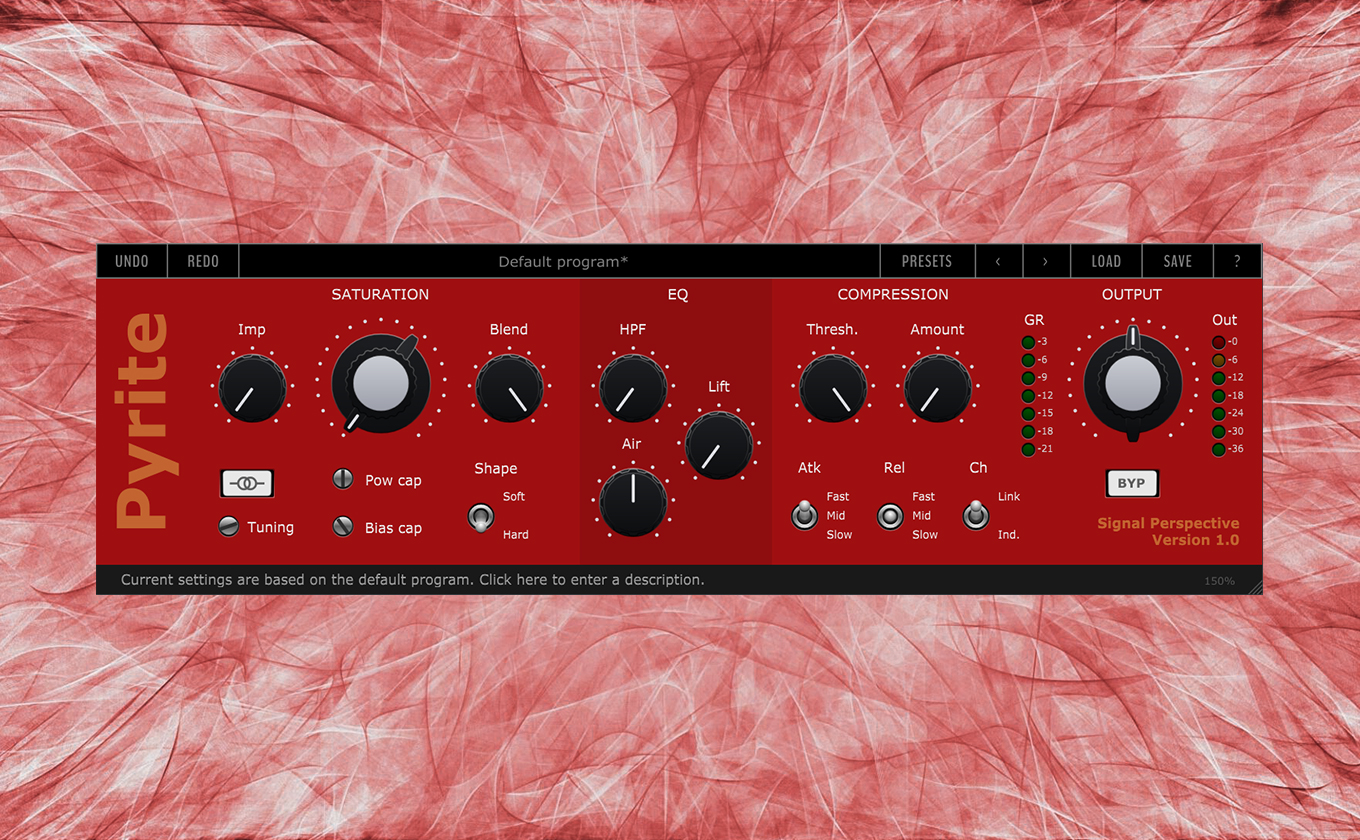
The result is Pyrite, a preamp emulation with some EQ and compression capabilities. It really shines on drums and vocals, but can also be used on other types of tracks.

To use it properly, you need to be aware of the topology of the processors included (which is different from what you might assume from the interface):
Transformer -> Saturation -> Compression -> EQing -> Output trimming
The transformer can be used to saturate the very low end, and also as a hi-pass filter on the input stage. The saturation can be set to a soft or hard knee, with two screws to tune the modelling of the original device. There is also a “blend” control that allows you to mix the unsaturated signal back in. The dynamics processor is a soft-ish-knee compressor that focuses more on bringing out the quiet parts than on taming the peaks (at least at moderate values of the Amount knob); it sounds a bit like a parallel compression algorithm. The EQs are a faithful reproduction of the original unit’s low-cut and air filters, but with a wider and more continuous range, plus a low-end lift filter modelled on the (linear) behaviour of an EMI REDD console bass lift function.
Features
Speaking of features, the most noticeable are:
- 192kHz / 64bit internal oversampling
- Tunable transformer
- Analog emulated saturation
- Unique compression algorithm
- Hi-pass, Hi-shelf, and Low-shelf EQ
Audio samples
Here you can hear some demos, first you will hear the dry sound, then some presets of Pyrite:
Installation
The plugins are compatible with all Windows 64-bit host applications, and should be compatible with Mac OS 10.13 and above (some 10.13 users have reported problems… I have not found a solution yet).
Some plugins come with an installer application, if this is not the case, copy the plugins to the appropriate folder:
macOS VST3 folder: /Library/Audio/Plug-Ins/VST3
macOS AU folder: /Library/Audio/Plug-Ins/Components
Windows VST3 folder: C:\Program Files\Common Files\VST3
Please note that the plugins are not digitally signed: if you have trouble running the plugin under MacOS, try following these instructions, or (if you are familiar with the Terminal) try typing the following in the OS Terminal (replace PluginFileName with the name of the downloaded files; if the plugin filename contains spaces, add a \ before each space):
sudo xattr -d -r com.apple.quarantine /Library/Audio/Plug-Ins/VST3/PluginFileName.vst3
sudo xattr -d -r com.apple.quarantine /Library/Audio/Plug-Ins/Components/PluginFileName.component
Important notice about provided preset files
To let the plugin/application see the preset files and show them in the preset menu, be sure to place them in the user documents folder under the /Signal Perspective/PluginName subfolder, without altering the provided tree structure.
Download
Warning: On some Windows systems, the installer is incorrectly marked as a Trojan/Virus.
If you don’t feel comfortable using that installer you can download the manual-install version (just copy the VST3 file to the VST3 system folder and the Signal Perspective folder into the Documents folder).
This is a known issue regarding the tool I’m using to create the installer.
Sorry for the inconvenience, I’m trying to solve this as quickly as I can.
All Signal Perspective software is donationware, please buy me a slice of pizza if you find this useful! 🍕